Since WordPress 3.1 (that’s February 2011, so yes, 15 years) every logged-in user gets a black bar glued to the top of their own website. The idea was probably good: quick access to things you need while browsing your site.
The reality looks like this:
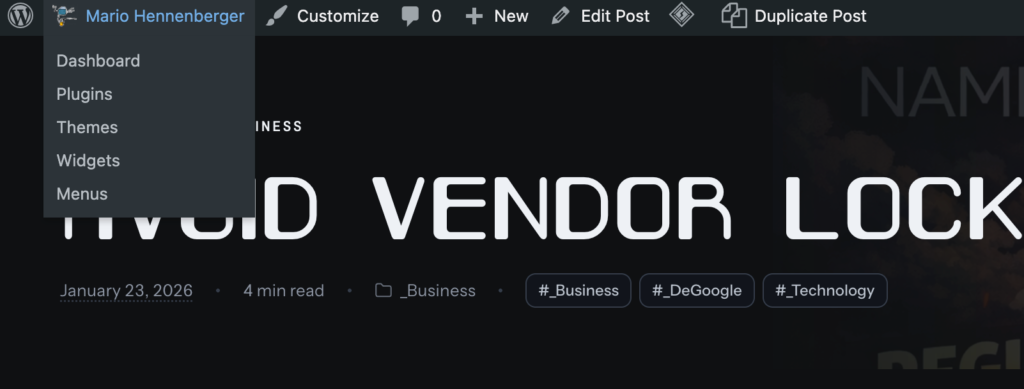
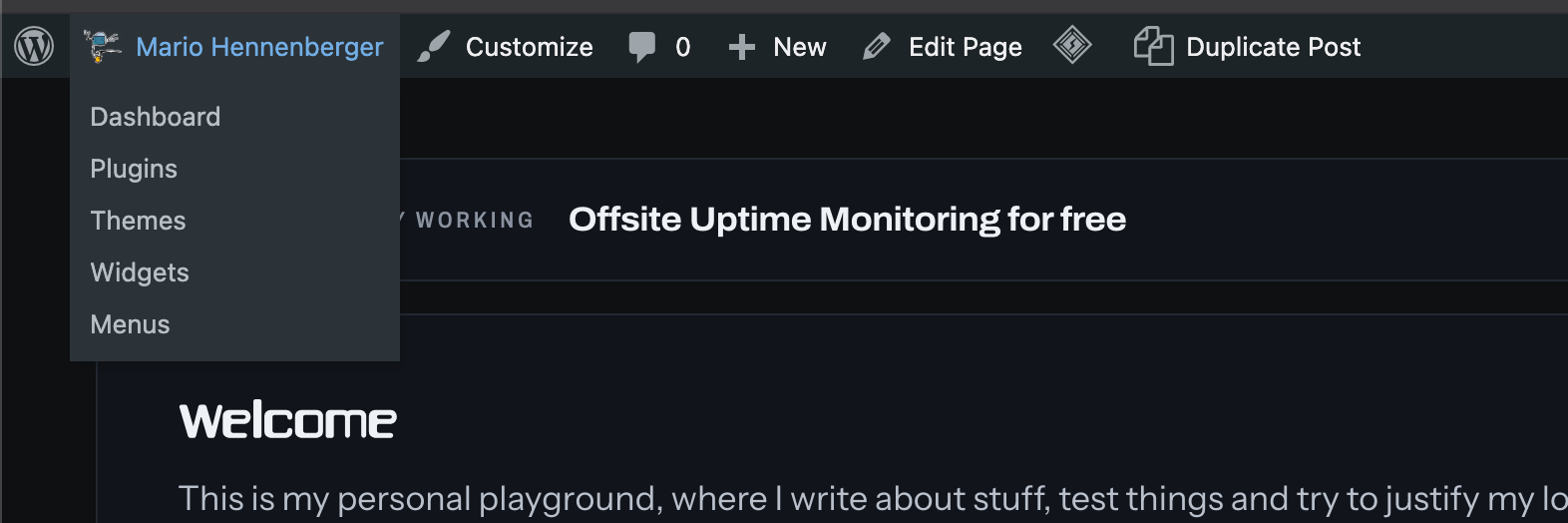
The WordPress logo. Links to wordpress.org, documentation, support forums and “Get Involved”. Because when i’m reading my own blog post at 2am, what i really need is the WordPress community forum. Not once, in 15 years.
Site name → Dashboard, Plugins, Themes, Widgets, Menus. Themes. On a production site. How often does one switch themes? once every few years, and then you do it from the dashboard you are already in, because you’re setting things up. Same goes for Widgets and Menus. This menu is a setup wizard that never goes away.
Customize. Same story. Click it by accident and you’re in the Customizer, waiting for the preview to load.
The speech bubble with a “0”. A permanent counter reminding me that nobody comments. Thank you, very motivating. And if the number is not zero, it’s spam anyway. okay that is likely a “me problem”
+ New. New post, new media, new page, new user. Nobody has ever been reading an article and suddenly thought “you know what, let me add a user right now, from here”.
Edit Post. Finally, the one useful thing. The only reason the bar exists, and it’s in the middle, between the junk.
Plugin icons. Every plugin thinks it deserves a spot up there. Cache plugin: a diamond. Duplicate Post: “Duplicate Post”. Install five plugins and the bar becomes a second taskbar for things you configured once and never touched again.
“Howdy, Mario”. Howdy my ass, i know my name!
On top of that, it pushes the whole site down by 32 pixels, so whatever you see while logged in is not what your visitors see. Sticky headers sit in the wrong place, full-height sections are 32px too tall, and you spend time debugging layout “bugs” that only exist for you. Theme developers even have to write extra CSS just to work around it (.admin-bar everything).
“But you can turn it off!”
Yes, in your profile there’s a checkbox “Show Toolbar when viewing site”. It’s all or nothing: turn it off, and you lose the one useful thing, Edit Post. Then you go to the dashboard, find the post in the list, and click edit. Great.
What would make sense: a small pencil in the corner that shows up when you’re logged in. That’s it. Edit this page. Everything else is in the dashboard, where you’re doing that kind of work anyway.
Why does this exist?
My guess: the people making these decisions build WordPress, they don’t use WordPress. Not in a “i run a site and write on it” way. For someone who demos WordPress, sets up new installs or tests plugins all day, a bar full of Themes, Plugins and Customize makes sense. For someone who just runs a website, this is the setup screen you never get to leave.
And of course it’s on by default for every new user, so millions of people who never asked for it just live with it.
15 years. Allegedly working.