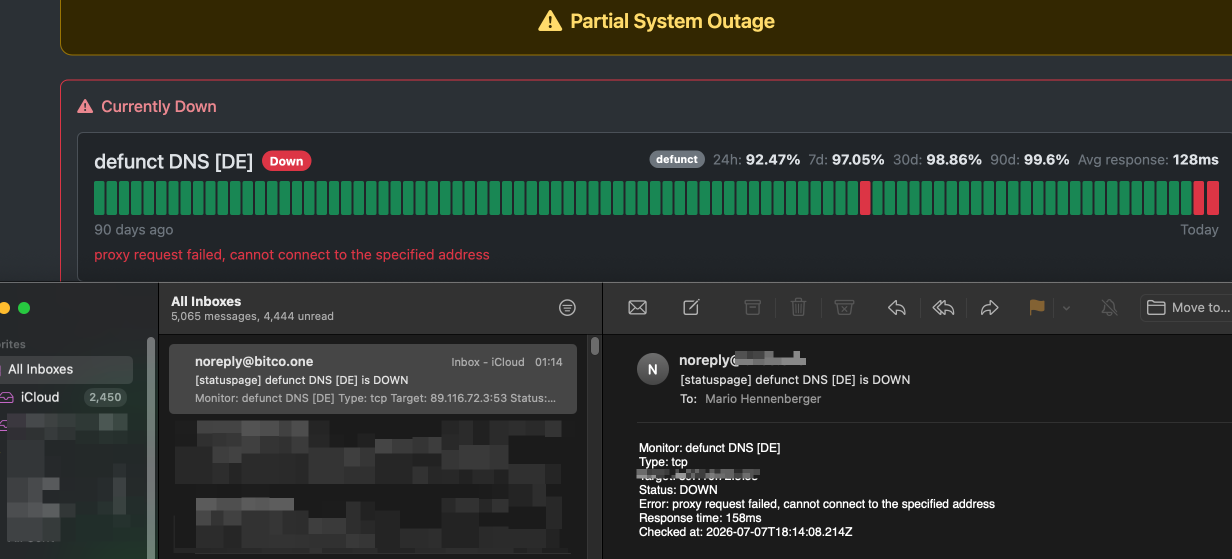
the Gold standard for worry-free System checks (without deeper integration) is clearly Uptimerobot.com, there are others like HetrixTools, but almost all of them are too “linux’y” making a simple task over-complicated.
Uptimerobot however had a change in the terms of service back in 2017 and later updated the pricing resulting in free accounts are limited to basic features (wich is fine) and paid accounts come with tiers where the affordable one sets you back quite a bit, basically i was happy to pay for UptimeRobot, but since they basically embrace the Enshittification at full swing and charging more than my servers cost just to know if they are online, that’s a no-go, since it is no longer about the money at this point.
So I replaced them with a Cloudflare Worker. for FREE.
The entire application:
- HTTP monitors
- TCP port checks
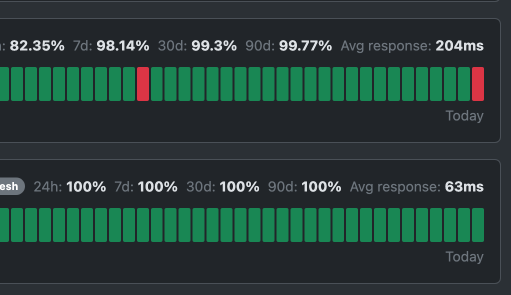
- a public status page with 90-day history
- admin UI
- cron-driven checker
totalling 1,331 lines of TypeScript across 8 source files. and looks like this.
It runs on Cloudflare’s free tier, stores data in D1 (also free at small scale), and costs me exactly nothing.
Why Cloudflare Workers Changes the Game
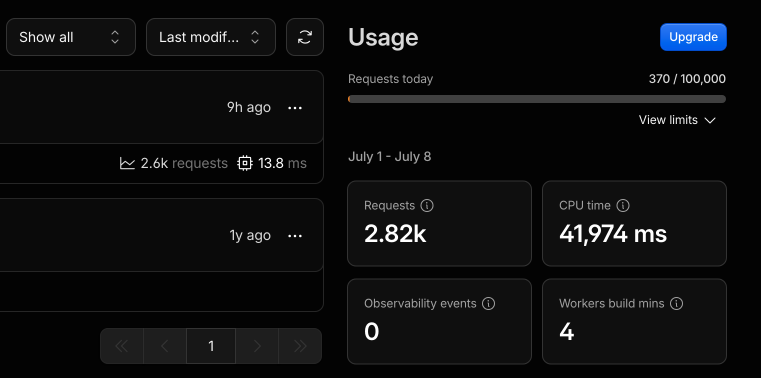 The killer feature is the **free tier**: 100,000 requests/day, 1 million requests/month, and D1’s 5GB storage and 5 million read operations/month. For a small application like this say 10 monitors checked every 5 minutes, makes it about 2,880 checks/day. You’re nowhere near the free limits.
The Worker runs in 300+ locations worldwide, so TCP connect checks and HTTP fetches come from Cloudflare’s edge. You get global coverage without standing up a single VPS.
The main part is that cloudflare is “central enough” and can actually do this checks reliably, plus most paid uptime srvices prbably do the same anyway.
And crucially: you stay in control.
That’s it. One `wrangler deploy` and it’s live.
Should You Switch?
If you’re running a few dozen monitors or fewer, and you’re comfortable with a terminal and `wrangler`, this approach is hard to beat. You get:
- No monthly bill (versus $10-40/mo for HetrixTools Pro or UptimeRobot Pro)
- Full control over your monitoring targets and alerting
- A public status page that’s indistinguishable from what the paid services offer
- Global edge coverage from Cloudflare’s network
- Extensible it’s your code, add Slack alerts, PagerDuty integration, or whatever you want
The trade-off is you’re on the hook for maintenance. Cloudflare handles the infrastructure, but schema changes, feature additions, and uptime accountability are yours. For a side project or internal tool, that’s a feature, not a bug.
notification email feature requires you to sacrifice a root MX for a domain that is already on cloudflare, wich is a bit anoying. but besides that it’s fine.
The code is right here in this repo (if the repro is private, let me know i can zip it for you) Clone it, run `npm install`, create a D1 database with `wrangler d1 create`, set your `ADMIN_TOKEN` secret, and deploy. You’ll have a production-grade uptime monitoring system running on Cloudflare’s free tier in under ten minutes.
1,331 lines. Zero dollars. Full control.